Zero-Downtime Model Releases with Blue-Green Deployment
Shipping a machine learning model into production almost never goes as smoothly as a regular software release. With an ordinary web update, a short hiccup may cost a page a few extra milliseconds of load time. Pull an ML model out of service for even a couple of minutes, though, and you can interrupt whole recommendation engines, stall payment-risk screening, and take a serious bite out of revenue.
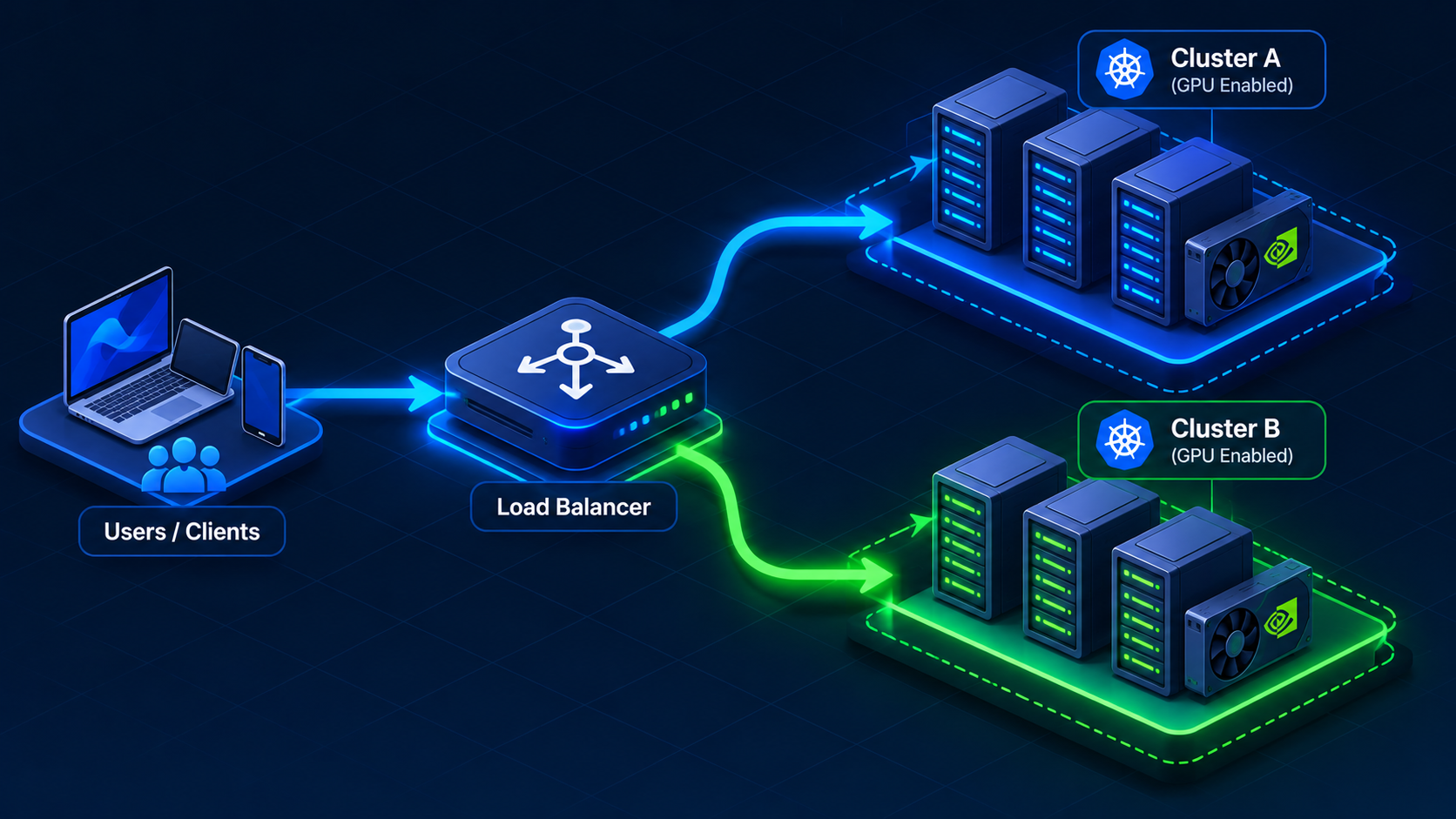
If your product depends on real-time inference, an outage is not an acceptable trade-off. That is why the blue-green deployment strategy earns a central place in an MLOps pipeline. Running two matching production environments lets you move traffic from the previous model to its replacement without interruption, keeping the service online the whole time and giving you an immediate fallback should the new model start acting unpredictably.
Below we look closely at how blue-green deployment applies to machine learning models, what the architecture needs, and how to deal with the particular problems of model state and data drift while the cutover is underway.
What Does a Blue-Green Deployment Involve?
Fundamentally, blue-green deployment is a release-management approach that lowers risk and keeps downtime to a minimum by operating two production environments that are identical to each other.
- The Blue Environment: This is the production environment that is live right now. It runs the current machine learning model, which is handling real user requests and producing predictions.
- The Green Environment: This is the staging, or next, production environment. It mirrors blue exactly, except that it runs the revised version of your machine learning model.
While a release is in progress, the green environment is brought up and tested in depth. Since no live traffic reaches it, data scientists and DevOps engineers are free to run inference tests, check the model’s accuracy against benchmark datasets, and confirm that every API endpoint responds as it should.
When green clears every health check, a router or load balancer just toggles over. Live requests move from blue to green in an instant. Green becomes the production baseline, while blue stays on standby for a while so you can roll back right away if needed.
Why Machine Learning Models Need Zero Downtime
A typical web application update means swapping static assets or redeploying microservices. Machine learning models are different: they are big artifacts that consume a lot of memory. Depending on the hardware and how complex the model is, getting a new neural network or a very large XGBoost model into memory may take a few seconds or several minutes.
Try a rolling update or an in-place release, where the previous model stops before its successor has finished initializing, and your application goes through a “cold start” window. Requests that reach the inference server in that window are dropped or time out.
Consider a high-frequency trading algorithm or a model that detects security risks in real time: being offline for 30 seconds could mean important anomalies go unnoticed. Blue-green deployment removes that cold-start cost completely, because the green model is already loaded and warmed up before it receives its first live request.
Implementing Blue-Green for ML Models, Step by Step
Carrying out a blue-green release depends on a solid orchestration layer. Most current engineering teams rely on Kubernetes, AWS SageMaker, or managed MLflow to move the infrastructure around. In a real production setting, the process tends to unfold as follows.
1. Standing Up the Green Environment
Start by deploying the new model artifact, packaged into a new container along with the libraries it depends on, for example PyTorch, TensorFlow, or Scikit-Learn. The green container reads from the databases and feature stores that blue already uses, so both see identical live data.
2. Shadow Testing (Dark Launch)
Running shadow tests before any live traffic moves is strongly advised. Here the load balancer makes a copy of each incoming request. The original goes to the blue model, which answers the real user, and the duplicate is sent asynchronously to the green model.
Green’s predictions never reach the user; they are written to a database instead. Engineers can then compare the new model’s outputs with the old model’s in real time and confirm that the new algorithm behaves as intended on real, previously unseen data, all without putting the user experience at risk.
3. The Cutover
After the team trusts the green model, the release itself takes place in the routing layer. In practice that usually means changing the DNS record, adjusting the NGINX configuration, or editing the Kubernetes Ingress route.
In Kubernetes, for instance, you only change the Service selector so it targets the app-version: green pods instead of the app-version: blue pods. The network layer completes the switch within milliseconds.
4. Standby and Retirement
Once the switch is made, green is the live environment. Blue is not torn down straight away, however. It keeps running on standby for an agreed window, commonly 24 to 48 hours. Should the new model suddenly show latency problems, memory leaks, or falling prediction accuracy, undoing the release only requires pointing the router back at blue. When green has shown it is stable over time, the blue infrastructure is shut down to cut cloud compute spending.
Dealing with Data and Schema Issues in ML
Blue-green deployment looks tidy from the outside, but machine learning brings its own stateful complications that teams need to plan for.
Feature Store Compatibility When the new Green model depends on features that the old Blue model never used, your data pipelines and feature stores have to be updated before green goes out. The feature store must stay backward compatible, so blue keeps working while green is under test.
Database Migrations Suppose the new model records predictions in a database that needs a schema change, such as an extra column for a new output metric. In that case, separate the database migration from the model release. Roll out the schema change first, in a form the old model can keep writing to without trouble, and bring in the green model only after the database has settled.
Model Drift vs. Code Bugs A failed conventional software update usually surfaces a hard error, such as an HTTP 500. A failing ML model may still answer with HTTP 200 while producing predictions that are far off the mark because of model drift or data skew. Basic health checks that simply ping the API to see whether it answers are therefore insufficient for ML blue-green releases. Your checks need to assess statistical metrics and confirm that the distribution of predictions stays inside acceptable limits before you declare the release a success.
Blue-Green Compared with Canary Deployments
It helps to see how blue-green stacks up against a close cousin, the canary deployment. Blue-green moves all traffic, 100%, from the old version to the new one at once. A canary release instead sends a small share of traffic, say 5%, to the new model first. When that 5% looks healthy, the share is raised step by step to 20%, then 50%, and finally 100%.
Canary releases are very good at surfacing edge cases without touching every user, but they demand far more complex routing logic and longer monitoring. Teams tend to prefer blue-green for ML models when they want a clean, decisive switch along with the option to roll the whole system back immediately once an anomaly appears.
Conclusion
Moving a machine learning model from development into production carries high stakes. A blue-green deployment strategy supplies a safety net that modern enterprise AI applications can hardly do without. Because it separates deploying the model artifact from actually releasing that model to users, engineering teams can remove downtime, test against live data through shadow routing, and know that if something fails, rolling back is only a load balancer configuration change away. The architecture calls for some up-front spending on infrastructure and automated testing, yet the operational confidence it brings justifies the effort.
Frequently Asked Questions
1. Will blue-green deployment double what I pay for cloud compute?
For a short time, it will. While the release is underway you operate two identical production environments side by side, so compute consumption doubles. That stage, though, usually lasts only a few hours or days. When green proves stable, blue is removed and spending returns to its usual level.
2. Does blue-green deployment work for machine learning at the edge?
Blue-green was built mainly for inference that runs in the cloud or on servers, where you own the routing. On edge devices such as IoT sensors or mobile apps, teams usually depend on over-the-air (OTA) updates, which work more like a classic software update than like traffic routing at the network level.
3. How does shadow testing differ from a blue-green deployment?
Shadow testing is frequently used as a technique within a blue-green setup. Blue-green describes the infrastructure strategy of keeping two environments, while shadow testing means sending silent copies of traffic to the new environment so you can watch how it behaves before it becomes the primary live environment.
4. How can the cutover be automated?
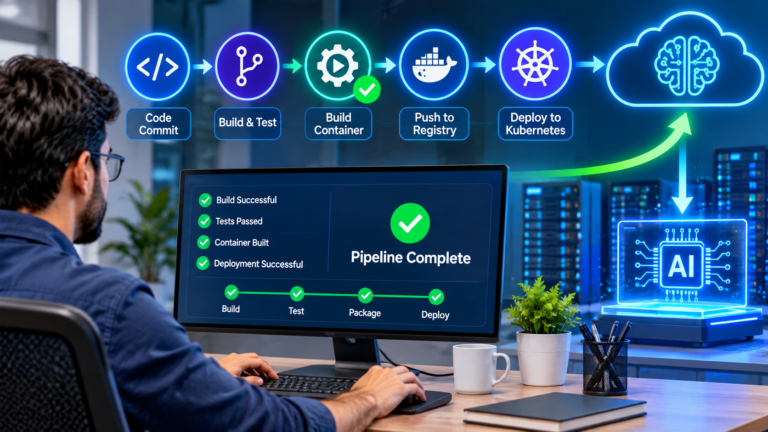
Automation usually comes from CI/CD pipelines such as GitHub Actions, Jenkins, or GitLab CI, paired with Terraform or another infrastructure-as-code tool, or with a Kubernetes operator such as ArgoCD. Together they can execute automated tests against the green environment and, when the tests pass, update the traffic rules on their own.
Sources & Industry References
- Martin Fowler’s writing on deployment strategies: The core ideas behind Blue-Green Deployment and managing infrastructure.
- AWS Machine Learning Blog: Recommended practices for releasing ML models on Amazon SageMaker with safe deployment routing.
- Google Cloud Architecture Center: Guidance covering continuous delivery, MLOps pipelines, and the automation of ML releases with Kubernetes and Vertex AI.