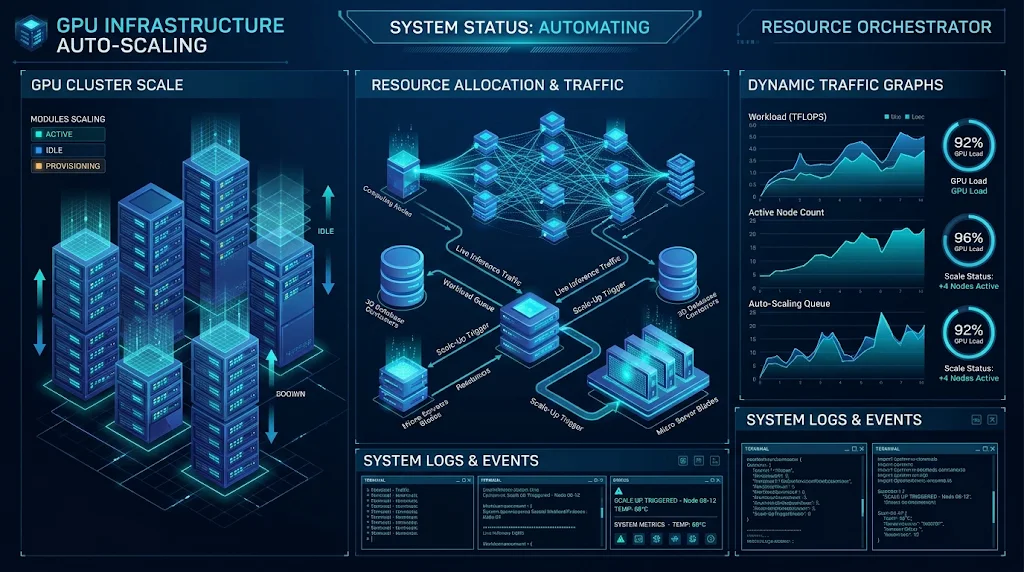
GPU Auto-Scaling Strategies for Unpredictable AI Inference Traffic
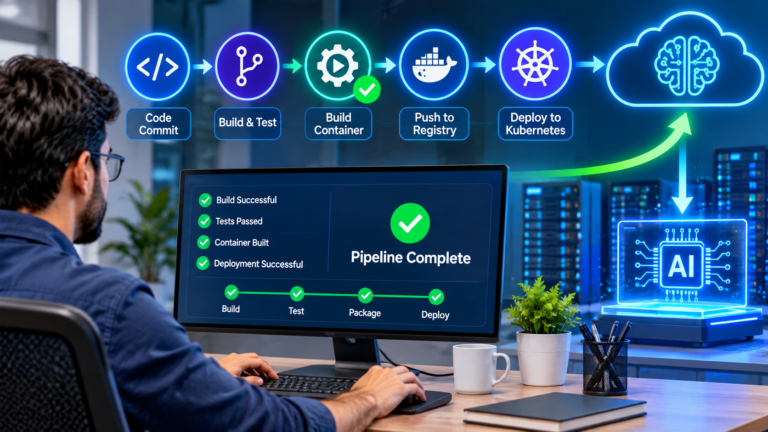
Putting complex diffusion models and large language models (LLMs) into production calls for an infrastructure model that differs fundamentally from the one used for conventional microservices. Ordinary web applications run on CPU and RAM, which are fairly inexpensive and can be provisioned extremely quickly; when a standard API gateway sees a sudden jump in traffic, today’s container orchestration platforms launch fresh stateless pods within milliseconds. AI inference, by contrast, depends completely on specialized hardware accelerators, mostly enterprise-grade GPUs such as the NVIDIA A100, H100 or L40S. These cost an enormous amount to leave sitting idle, and they are known for being slow to start when traffic surges without warning.
Balancing low infrastructure spending against fast responses at peak hours takes auto-scaling pipelines built specifically for the job. Engineering teams that run AI applications at scale cannot avoid moving from fixed GPU provisioning to auto-scaling that is dynamic and driven by events.
The Cost Logic of Provisioning Hardware
Seeing why auto-scaling matters starts with the cost profile of AI inference. Traffic to typical REST APIs rises and falls over the day, frequently in a sine-wave shape that follows human working hours. Provision enough GPU instances to cover the very highest peak and those machines will do nothing at all outside busy periods.
An on-demand NVIDIA H100 instance from a major cloud provider can run more than $10 to $15 per chip per hour, so a cluster of 8-GPU nodes left idle overnight can consume thousands of dollars within a few days and return nothing. Going the other way and under-provisioning to save money makes queues pile up immediately. LLM inference is highly stateful and limited by compute, so an under-sized cluster quickly produces dropped connections, latency spikes, HTTP 504 Gateway Timeouts and, in the end, heavy user churn. Dynamic scaling is the only approach that makes mathematical sense, letting the infrastructure expand and contract in step with demand.
Key Architectural Pieces for Scaling GPUs
A scaling architecture that reacts well has to combine several separate infrastructure layers. CPU-oriented scaling signals such as plain HTTP request rates are not enough, because AI workloads are limited first and foremost by VRAM (Video RAM) capacity and by how busy the GPU’s compute units are.
1. The Metric Aggregator (NVIDIA DCGM)
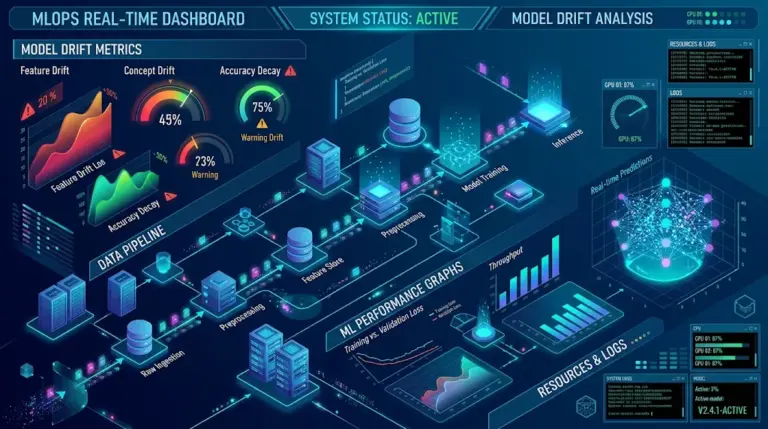
The default Kubernetes metrics servers know nothing about what happens inside a GPU. For the cluster to make scaling decisions, it needs the DCGM (NVIDIA Data Center GPU Manager) Exporter running. Deployed as a daemonset on every GPU node, this component collects low-level hardware telemetry at millisecond granularity and publishes key metrics including DCGM_FI_DEV_GPU_UTIL (compute utilization) and DCGM_FI_DEV_FB_USED (VRAM/framebuffer usage).
2. KEDA as the Autoscaling Engine
For dynamic AI workloads, Kubernetes Event-driven Autoscaling (KEDA) is the accepted industry standard. It connects to the DCGM exporter, usually through Prometheus, and lets engineers write sophisticated custom scaling rules. Rather than watching raw CPU usage alone, KEDA can launch new pods once average VRAM utilization across the active cluster goes above 85%, so fresh hardware is already starting before the existing GPUs run short of memory for the KV cache of incoming requests.
3. An Asynchronous Job Queue
Text-to-image models and long-form document processing are a poor match for synchronous HTTP requests, which tend to fail under that load. The architecture should place a very durable message broker (RabbitMQ or Apache Kafka, for instance) in front of the inference workers, behind the API gateway. That allows KEDA to track how deep the Kafka topic is, meaning how many AI jobs are waiting, and scale the GPU worker nodes up aggressively once the backlog passes an acceptable limit.
The Problem of Cold Start Latency
“Cold start” latency is the biggest obstacle in GPU auto-scaling. Once the autoscaler concludes that it needs another GPU node, that node’s virtual machine has to be provisioned, the container image pulled, the hardware drivers mounted, and finally the neural network weights read from disk into GPU VRAM.
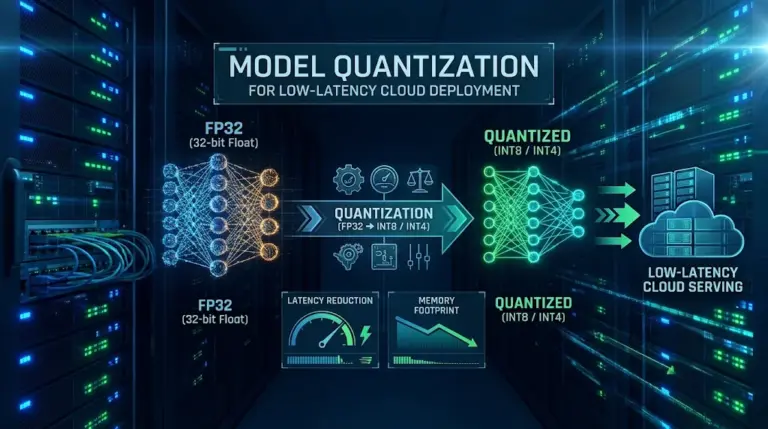
Quantize a 70-billion parameter model to 16-bit precision and you have about 140 gigabytes of weights. Moving 140GB from cloud storage onto local disk and then across the PCIe bus into GPU VRAM can take between 3 and 10 minutes, even with specialized hardware. When the new node is finally able to take traffic, the user whose activity caused the spike has probably given up on the application already.
Mitigation: Pre-warming and Local Caching
DevOps teams use several techniques to work around this physical constraint. To begin with, model weights and container images should be built straight into the base AMI (Amazon Machine Image) or equivalent cloud compute image. Pulling from network object storage such as AWS S3 while a node boots creates a severe network bottleneck.
In addition, engineers rely on local NVMe SSDs attached directly to the compute nodes, which deliver far higher read throughput than ordinary network-attached block storage. Pair the NVMe drives with NVIDIA GPUDirect Storage or similar technology and the host CPU is left out of the path completely: a direct memory access (DMA) route carries model weights from the local NVMe drive straight into GPU VRAM, cutting cold start times by as much as 60%.
Mitigation: Continuous Batching and PagedAttention
In software, heavily optimized inference servers such as vLLM or TensorRT-LLM help the GPUs that are already running absorb sudden spikes more smoothly while new nodes warm up. Continuous Batching lets the inference server slot newly arrived requests into generation loops that are already in progress, without waiting for earlier sequences to complete. Together with PagedAttention, which handles VRAM in the same way an operating system handles virtual memory pages, this lets existing nodes raise their throughput considerably and buys the auto-scaler time to bring up new hardware.
Reactive Versus Predictive Scaling
Deciding when to scale matters as much as understanding how. Most infrastructure teams settle on a hybrid that combines reactive and predictive methods.
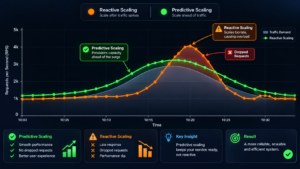
Reactive Scaling forms the first line of protection and works on firm thresholds. When Prometheus metrics show more than 50 queued messages per active worker, or VRAM utilization reaches 90%, the scaling engine fires a scale-out event at once. The weakness of relying on reactive scaling alone is that it always looks backward: it adds capacity only once the system is already strained.
Predictive Scaling marks a mature MLOps practice. Since AI infrastructure boots so slowly (because of the cold start problems covered earlier), capacity has to be added before the traffic shows up. Predictive scaling takes in historical traffic data and studies daily cycles (such as peak usage at 9:00 AM EST) as well as seasonal trends. With a lightweight time-series forecasting model, frequently a basic ARIMA model or Facebook Prophet, the orchestrator estimates upcoming load and begins bringing up GPU nodes and warming them 10 to 15 minutes ahead of the moment the historical data indicates the spike will arrive.
Multi-Cloud Strategy and Spot Instance Arbitrage
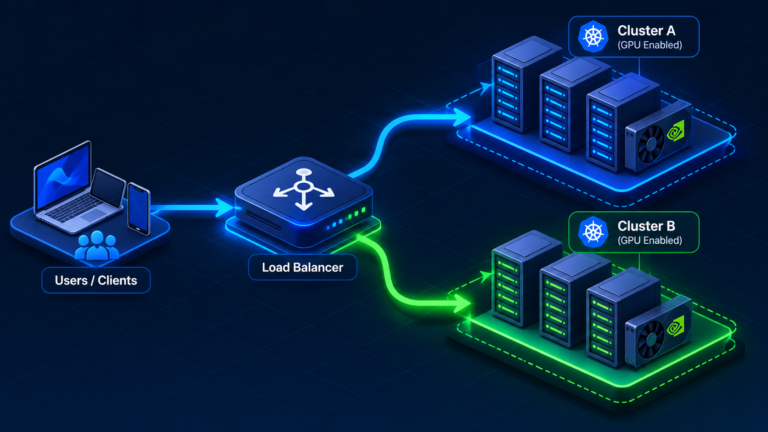
Organizations intent on squeezing every possible saving out of their spend take advanced auto-scaling beyond any single cloud provider. Regional GPU shortages are common on cloud platforms, so to ensure high availability, teams deploy modern orchestrators such as SkyPilot or Ray to run workloads across several different clouds (AWS, GCP, Azure, CoreWeave) at the same time.
Inference workloads that tolerate interruption, document batch jobs running in the background for example, should also lean heavily on Spot Instances (or Preemptible VMs). These sell spare cloud compute at 70% to 90% below on-demand prices. Because the provider can take a spot instance back with just a few minutes’ warning, the architecture has to be thoroughly decoupled. When a spot GPU node is terminated partway through inference, the Kafka consumer group never acknowledges the message, so it goes back on the queue and is picked up straight away by a freshly provisioned fallback node.
In the end, designing an auto-scaling environment for AI workloads involves far more than wiring a load balancer up to a scaling group. It demands detailed, fine-grained control of hardware metrics, determined tuning of the data paths through PCIe and VRAM, and well-designed queuing systems that keep the end-user experience intact while holding down the heavy financial cost of compute that sits idle.
Frequently Asked Questions
1. Why do traditional CPU auto-scaling methods not work for Large Language Models?
Conventional scaling keys off CPU utilization or HTTP request rates. LLMs, however, are limited by GPU VRAM (holding the KV cache and the model weights) and by continuous streaming compute. Ordinary auto-scalers cannot see inside the GPU, so out-of-memory (OOM) errors occur before a CPU-based scaler notices any overload on the node.
2. What is NVIDIA DCGM, and why does Kubernetes need it?
DCGM, short for Data Center GPU Manager, is a toolset for managing and monitoring NVIDIA GPUs in clustered environments. Kubernetes needs it because its standard metric servers have no native way to read GPU temperature, power draw or VRAM usage. The DCGM exporter converts these hardware-level readings into a format that Prometheus and KEDA can use when deciding how to scale.
3. In what ways does KEDA improve on the standard Horizontal Pod Autoscaler (HPA)?
Kubernetes’ default HPA is built mainly to scale on memory or CPU. KEDA (Kubernetes Event-driven Autoscaling) goes further by scaling on external, event-driven metrics, for example the precise count of messages queued on a topic in Apache Kafka or the result of particular Prometheus queries, which is essential for asynchronous AI workloads.
4. What reduces GPU cold start latency most effectively?
At the hardware level, the best mitigation is to have model weights stored in advance on the compute instance’s local NVMe drives and to use Direct Memory Access (DMA) to move them straight into VRAM, avoiding network downloads and CPU bottlenecks altogether.
5. Are spot instances suitable for real-time user chat applications?
That is very risky. The cloud provider may terminate a spot instance at any time. They suit asynchronous batch jobs perfectly, but in synchronous, real-time chat a user’s response could be cut off abruptly mid-sentence, which seriously degrades the experience for the user.
Sources and Further Reading
- Chip Huyen, Designing Machine Learning Systems, published by O’Reilly Media: an in-depth look at infrastructure needs and scaling difficulties in production ML.
- SOSP Proceedings, “vLLM: Easy, Fast, and Cheap LLM Serving with PagedAttention”: the core paper on memory management methods for high-throughput AI serving.
- Brendan Burns, Joe Beda, and Kelsey Hightower, Kubernetes Up & Running: a thorough guide to orchestrating containers and to custom resource definitions like the ones KEDA relies on.
- NVIDIA developer documentation on integrating the Data Center GPU Manager (DCGM) and its telemetry architecture.