How to Automate Unstructured Data Pipelines for Enterprise AI
Large organizations produce enormous amounts of data every day, and industry estimates put the unstructured share at somewhere between 80% and 90%. This information does not sit neatly in the rows and columns of SQL databases; it lives in formats that are messy by nature, such as PDF reports, system logs, slack messages, customer service emails and transcripts of call center audio. For years most of it lay unused in data lakes. Now that Retrieval-Augmented Generation (RAG) architectures and Large Language Models (LLMs) are spreading quickly, that same unstructured data has become the most valuable asset a company owns.
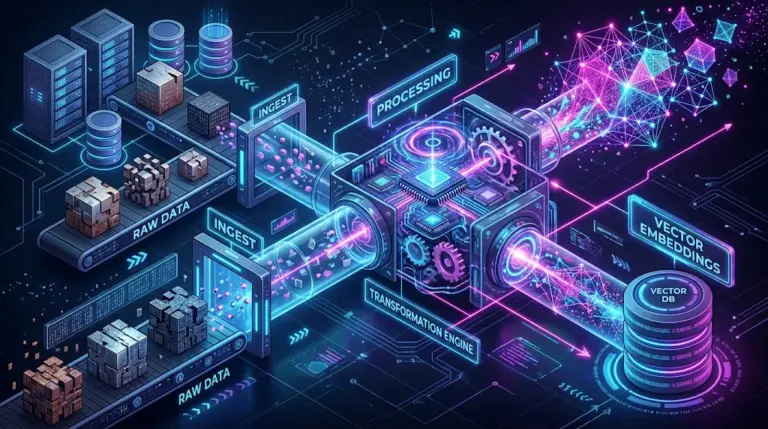
Handing raw, disorganized data straight to an AI model, though, invites hallucinations, slow responses and security exposures. In today’s enterprise AI the constraint is no longer the machine learning model; it is the data engineering needed to supply it. Automated unstructured data pipelines are the essential link between raw data silos and AI applications ready for production. A fully automated pipeline takes in raw files, pulls out the text, adds metadata, splits the content into logical chunks, turns those chunks into vector embeddings and keeps a vector database continuously in sync, with no human involvement at any point.
The Architecture of an Unstructured Pipeline
Automating these workflows starts with splitting the pipeline into separate microservices that run in sequence. Classic ETL (Extract, Transform, Load) pipelines were built for structured data. A pipeline that prepares unstructured data for AI needs a specialized hybrid of ELT and ETL centered on parsing, semantic chunking and vectorization.
Its core architecture is made up of five automated stages:
- Event-Driven Ingestion: Spotting new files in source systems and fetching them automatically.
- Parsing and Extraction: Turning proprietary file formats, PDFs or PPTXs for example, into plain readable text.
- Semantic Chunking: Dividing long documents into smaller, meaningful pieces sized to fit an LLM’s context window.
- Embedding Generation: Converting each text chunk into a high-dimensional numeric vector.
- Vector Indexing: Writing the vectors and the metadata attached to them into a database built for fast search.
Stage 1: Event-Driven Ingestion and Parsing Documents
Automation begins by doing away with manual batch uploads. Enterprise systems should rely on event-driven architectures, built with tools such as Apache Kafka, Azure Event Grid or AWS Lambda, that start the pipeline as soon as a file lands in a storage bucket or an email arrives in a designated inbox.
After ingestion, the file has to be parsed, which is famously the hardest part of working with unstructured data. Plain text files pose no challenge, but a typical enterprise PDF mixes images, headers, footers, embedded tables and multi-column layouts. Conventional Optical Character Recognition (OCR) tools tend to break down on such files: they read each line left to right across the columns and produce jumbled, meaningless text.
For reliable automation, more and more data engineering teams are adopting parsing libraries that understand layout. Unstructured.io and specialized document understanding models can classify the elements of a document before pulling out any text. Once the pipeline knows that one block is a “Table” and another a “Title,” it can extract the text and keep its hierarchy intact. And when a document includes images that contain text, automated OCR services such as AWS Textract or Tesseract can be called on demand, only for detected image elements, which keeps compute costs down while extracting as much data as possible.
Stage 2: Enriching Metadata and Redacting PII Automatically
For enterprise AI, raw text by itself usually is not enough. An AI agent that pulls up a passage about a “Q3 Revenue Drop” must also know which year and which regional report the passage belongs to. Extracting metadata automatically addresses this.
While parsing, the pipeline should attach key-value tags to each incoming document automatically: the document type, the date it was created, its author and department, and its access control lists (ACLs). These tags accompany the text through the pipeline and end up stored next to the vector embeddings. When a query comes in, the AI system can then run hybrid searches, narrowing by metadata first (for example, “search only HR department documents created in 2023”) and running the vector similarity search afterward.
At the same time, enterprise pipelines need security and compliance to be automated as well. Unstructured data carries large risk, because Personally Identifiable Information (PII) such as private health records, credit card details or social security numbers is often buried inside it. Automated pipelines place fast, lightweight Named Entity Recognition (NER) models, Microsoft Presidio for instance, in a middleware layer. PII is detected and masked or redacted automatically before the text gets anywhere near an embedding model or vector database, which keeps the downstream AI application compliant with regulations including GDPR, HIPAA and CCPA.
Stage 3: Chunking Strategies That Respect Context
An LLM has a fixed context window, meaning a cap on how much text it can handle at once, and embedding models have tighter token limits still, frequently 512 or 8192 tokens. A 50-page unstructured document therefore cannot be turned into one vector; it has to be split into chunks.
Simple automation just cuts the text every 500 words. That regularly splits sentences or ideas down the middle and strips them of meaning. Separate “The company’s new strategy is…” from “…to pivot entirely to cloud computing,” and the AI no longer has any of the context.
More sophisticated automated pipelines rely on recursive and semantic chunking instead.
- Recursive Character Chunking: The pipeline tries to break text at natural boundaries in order of preference: double line breaks (paragraphs) first, then single line breaks, then periods (sentences), and spaces as a last resort. Chunks produced this way stay readable and logically complete.
- Semantic Chunking: Pipelines that go further use small language models to measure shifts in meaning across the text and start a new chunk only when the subject genuinely changes.
- Overlap Automation: So that context is not lost at chunk boundaries, pipelines are set to include a fixed overlap, such as 10%, with the tail of Chunk A repeated at the start of Chunk B.
Stage 4: Generating Embeddings and Indexing Vectors
When the text has been chunked logically and enriched, the pipeline converts it into embeddings automatically. An embedding is a high-dimensional vector that represents what the text fundamentally means.
Enterprise pipelines usually do this by calling embedding models over an API, whether OpenAI’s text-embedding-3-large, Cohere, or a locally hosted open-source model such as BGE-Large. The orchestration tool groups the chunks into batches before sending them, which improves throughput and keeps the pipeline under API rate limits.
Next, the vectors are pushed automatically to a Vector Database (Pinecone, Milvus, Qdrant or Weaviate, for example), together with the source text chunk and the enriched metadata. The pipeline also has to manage upserts, that is, updates and inserts. When someone edits a source document in SharePoint, the pipeline must notice the change, hash the new version, locate the matching old vectors in the database, remove them and index the fresh embeddings, so the AI model always works from current data and nobody has to administer the database by hand.
Stage 5: Orchestration, Monitoring, and Handling Errors
The orchestration layer sets the ceiling on how dependable a pipeline can be. Enterprise teams do not launch these scripts by hand; they use data orchestration platforms such as Apache Airflow, Dagster or Prefect.
On these platforms the pipeline is expressed as a Directed Acyclic Graph (DAG), which makes tasks run in the right sequence and retry automatically after a transient failure, such as a timeout from the embedding API.
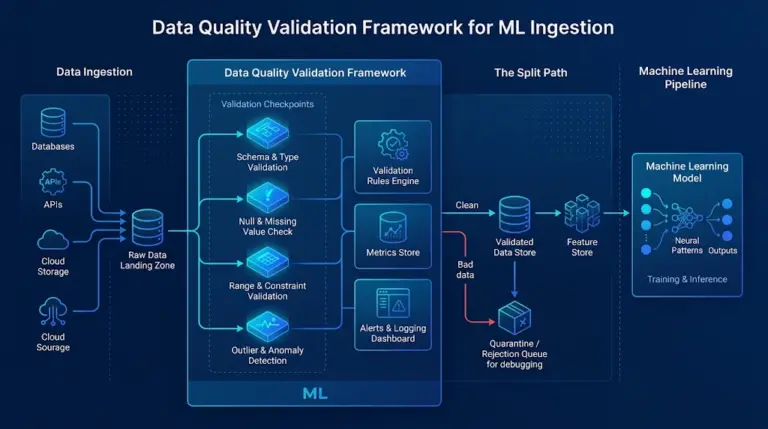
Just as important, automated pipelines need thorough observability. Unstructured data is unpredictable, so the pipeline has to watch for anomalies and data drift. If an unfamiliar PDF format leads the parser to emit thousands of empty chunks, the pipeline should recognize the anomaly, pause indexing so the vector database is not corrupted, and notify the data engineering team through Slack or PagerDuty.
Robust automated pipelines for unstructured data take considerable engineering effort up front. Once they are running, however, they give enterprise AI systems a steady, secure, high-quality supply of knowledge, turning scattered digital exhaust into intelligence that people can reach and act on.
Frequently Asked Questions
Q: Why not simply upload raw PDFs straight into an LLM?
Some LLMs do support native file uploads for one-off jobs, but enterprise applications need scale, speed and strict access controls. Sending large raw files directly burns through huge numbers of tokens, slows responses and can degrade context, meaning the model “forgets” material from the middle of a document. Automated pipelines organize the data so the model retrieves only the precise, highly relevant snippets it requires.
Q: How does a Vector Database differ from a standard SQL database?
SQL databases are tuned for exact keyword matches and structured relationships across rows and columns. Vector databases hold high-dimensional mathematical representations of text, known as embeddings. That enables semantic search, which finds information by the meaning of a query instead of literal keyword overlap (for instance, linking “financial struggles” to “Q3 revenue decline”).
Q: What about images or charts inside unstructured documents?
Current pipelines handle them with multi-modal processing. On detecting a chart, the pipeline can have a Vision-Language Model (VLM) write a text description of it for vectorization, or it can create image embeddings directly with a multi-modal embedding model such as CLIP, which lets the AI find charts visually from text queries.
Q: How can we keep sensitive employee data out of the pipeline?
At the ingestion stage, automated pipelines incorporate Named Entity Recognition (NER) models and data loss prevention (DLP) tooling. These tools search the raw text for patterns such as SSNs, credit card numbers or internal code names and mask or remove them automatically, before anything is sent to the embedding model or written to the vector database.
Sources & References
- Unstructured.io Documentation: Libraries, released as open source, that preprocess unstructured data for machine learning and LLMs.
- Pinecone Learn: In-depth architecture guides covering vector embeddings, indexing algorithms such as HNSW, and frameworks for retrieval-augmented generation (RAG).
- Microsoft Presidio: Documentation for an SDK focused on data protection and anonymization, used to automate the detection of PII in streams of text.
- LangChain Documentation: Framework reference material on document loader modules and recursive character text splitters for AI data pipelines.